How to make vertical and square videos
Get Shorts, Reels and TikTok-ready versions from the same tutorial.
Step by step
5 steps to make vertical and square videos.
Find the video formats
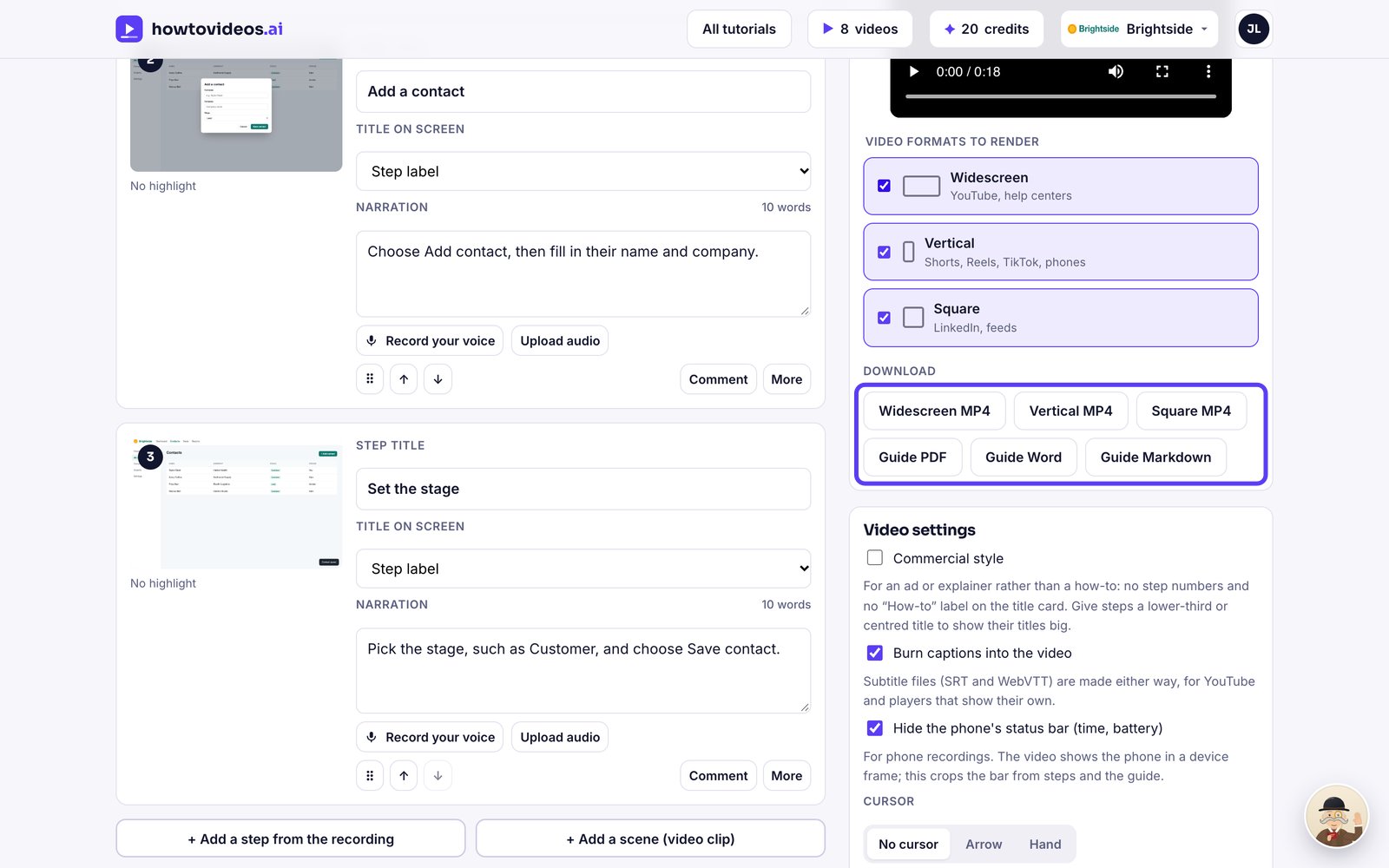
In the editor, find Video formats to render, under the video.

Choose the formats
Tick Vertical for Shorts, Reels, TikTok and phones, and Square for LinkedIn and social feeds.

Render
Choose Re-render video. Each format gets its own layout; vertical puts the captions below the screen so they're easy to read.

Switch between them
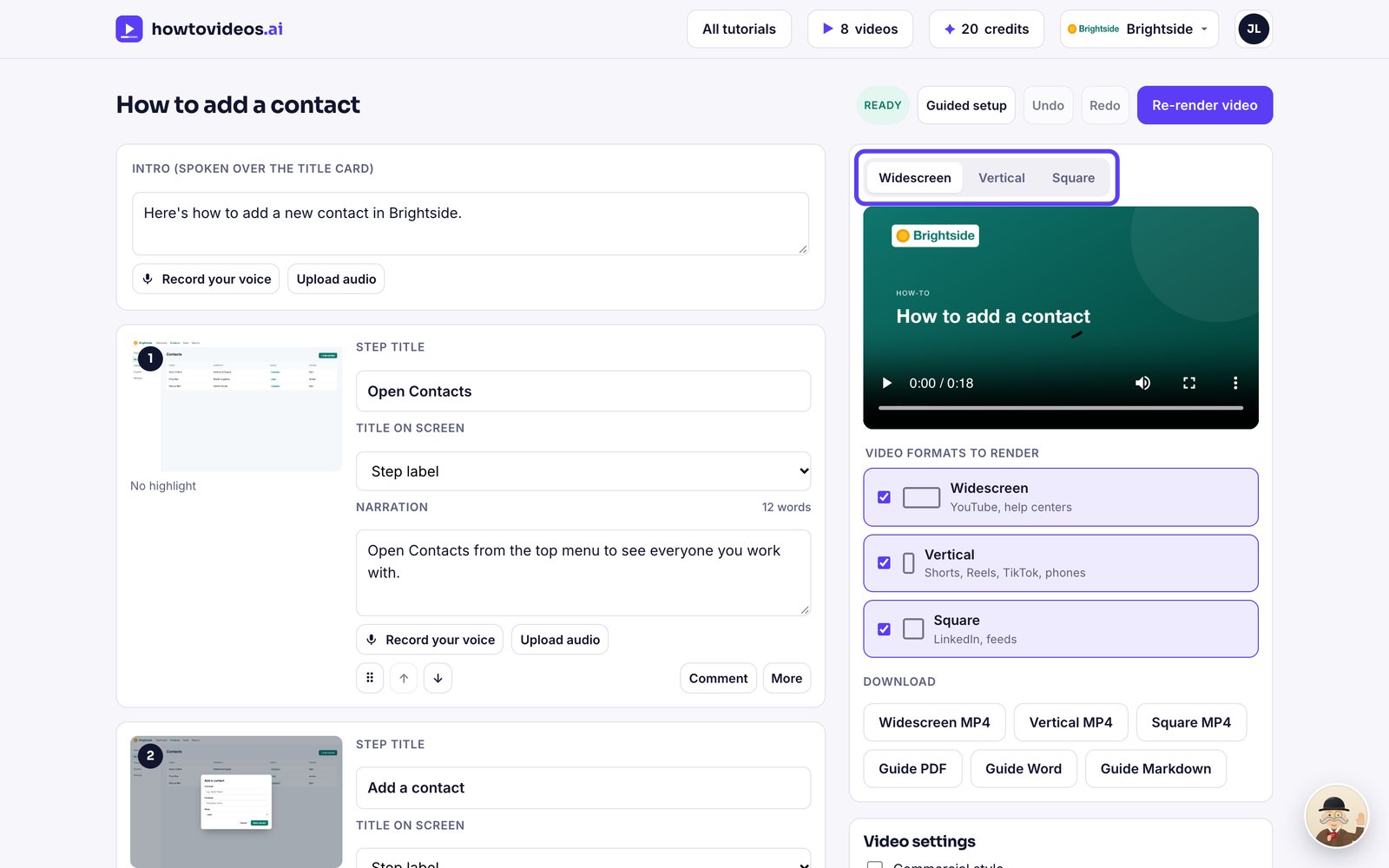
When it's done, switch between Widescreen, Vertical and Square above the player.
Download each one
Download each format as its own MP4 file.