Agencies
How to set up client workspaces
For agencies: a separate brand and tutorial library for every client.
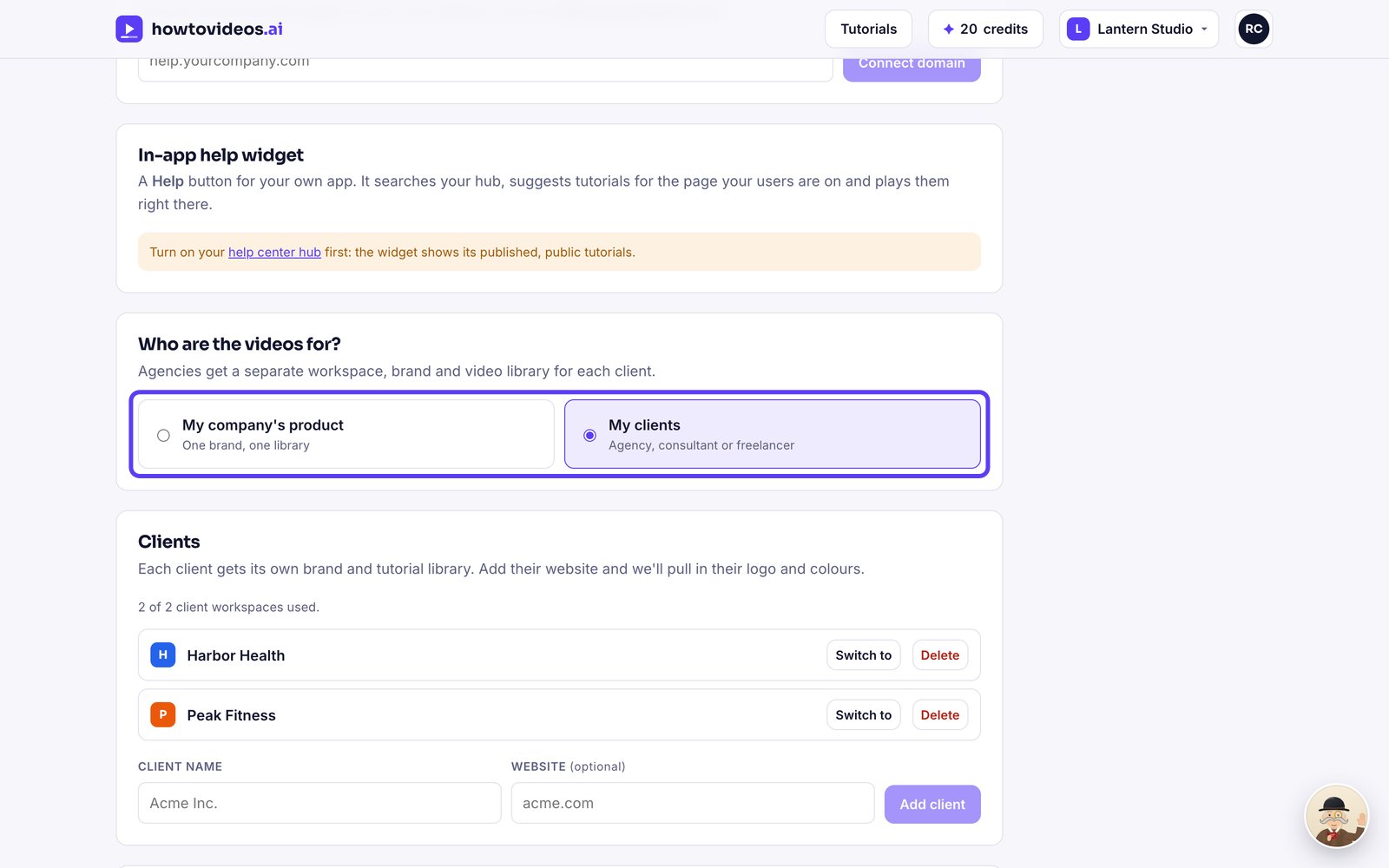
1Choose My clients
In Brand and settings, under Who are the videos for, choose My clients.
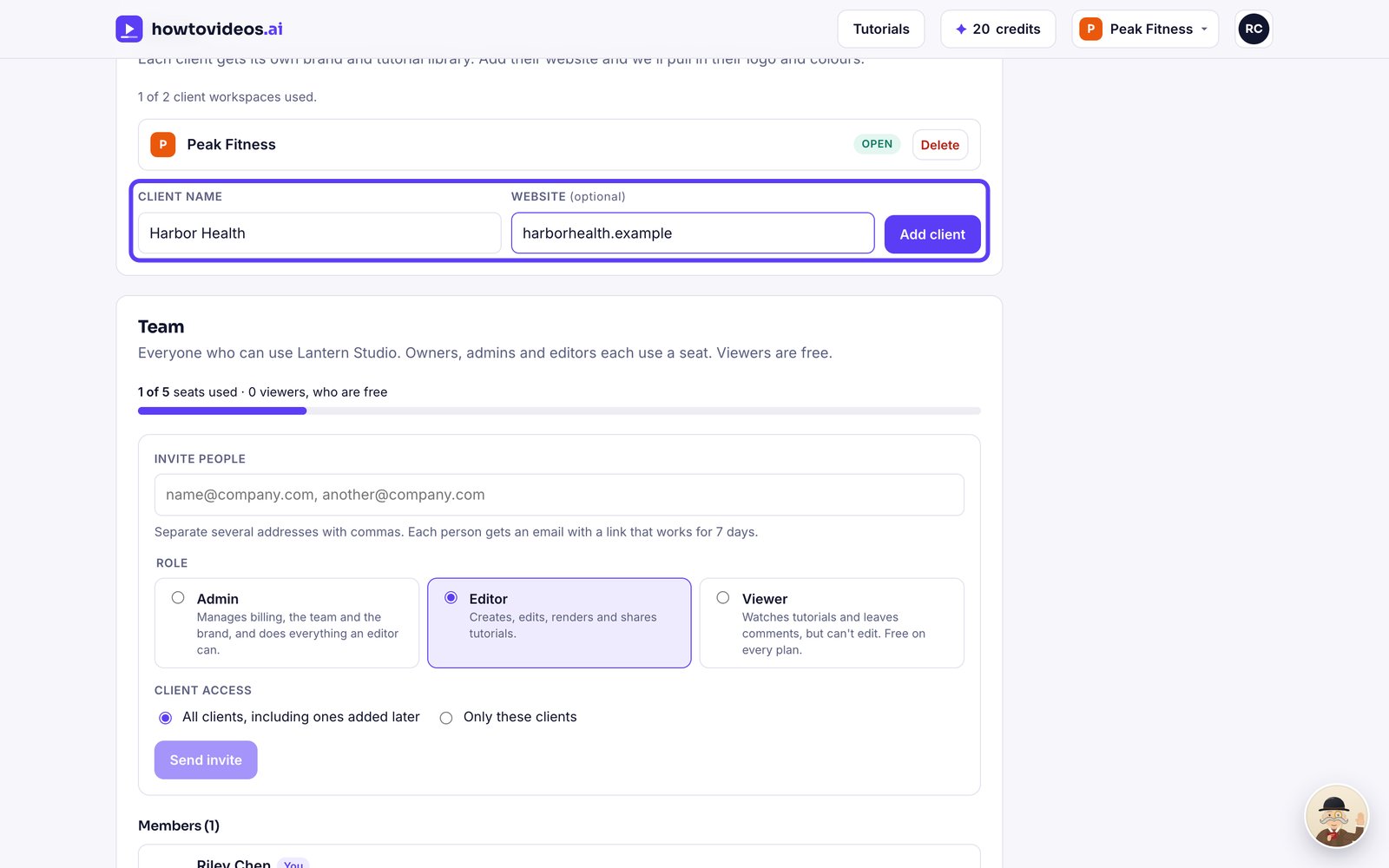
2Add a client
Under Clients, type the client's name and website, then choose Add client. We pull in their logo and colours.
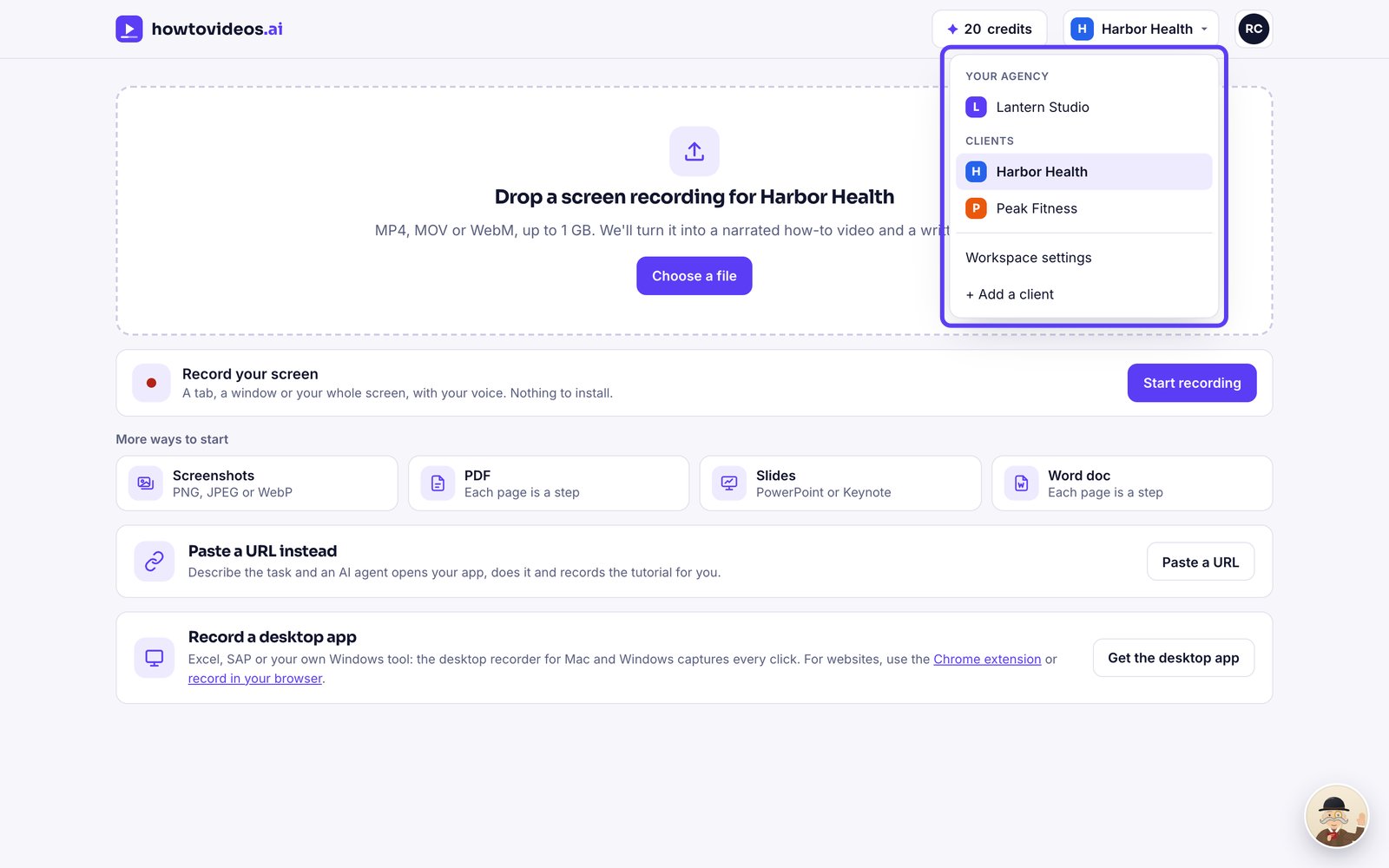
3Switch between clients
Use the menu at the top right to switch between your agency and each client.
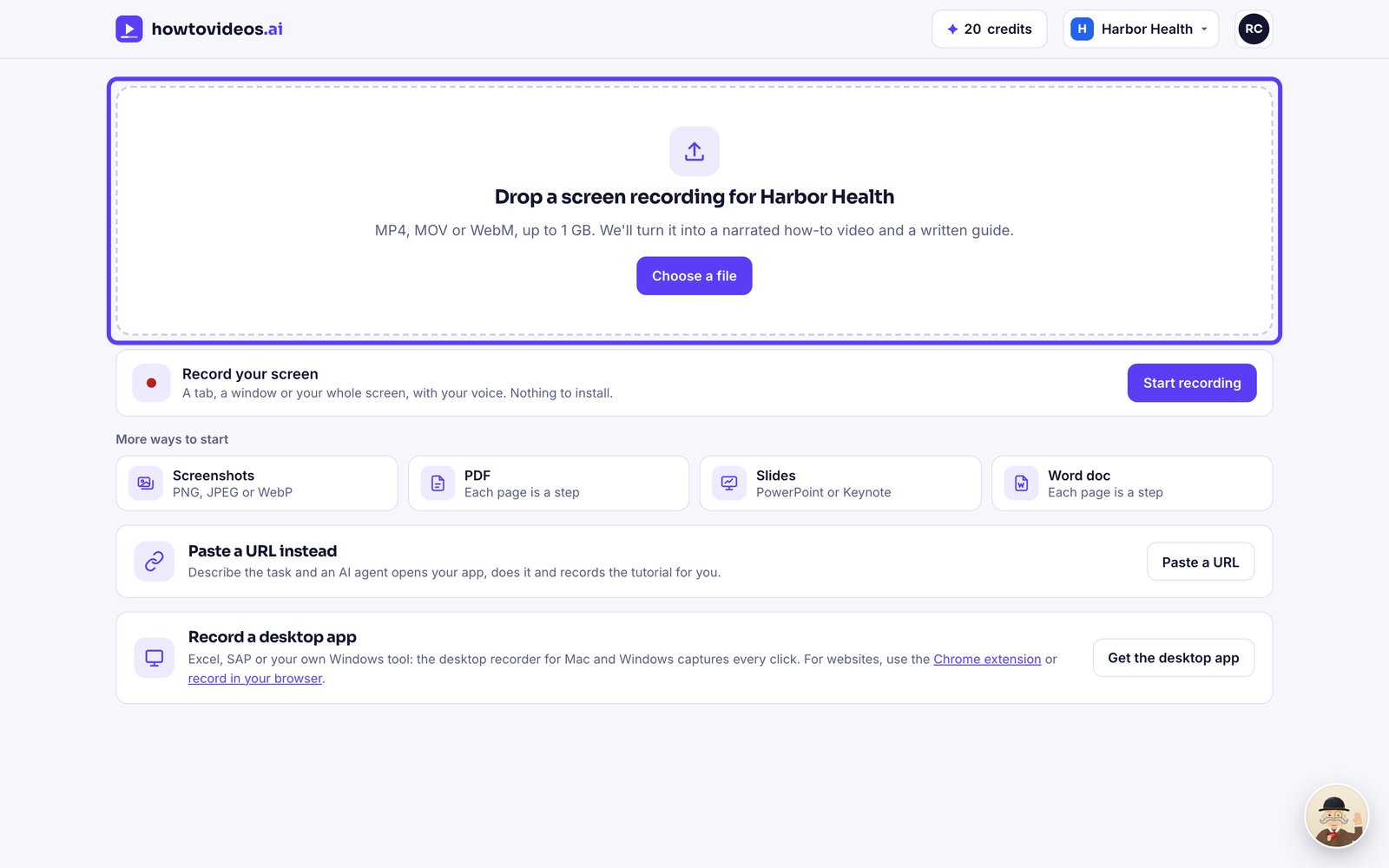
4Work inside a client
Everything you upload now belongs to that client, with their brand on every video.
Was this helpful?